
This analysis combines my experience using Elementor Pro with the product’s official documentation. Features, plans and terms may change, so you should check the current information before purchasing.
This promotional content about Elementor was created with AI assistance and editorially reviewed by Proyecto Predilecto.
Elementor for WordPress: what it is and how it works
You have a clear idea for your website. You know what you want to say, which services you want to present and how the experience should feel. The problem appears when you try to bring that idea to the screen and discover that every change depends on a template, hard-to-find settings or help from someone who knows how to code.
To understand what Elementor is, imagine a much more visual way to work with WordPress. Elementor is a WordPress visual editor that lets you build a page while seeing how it looks at every stage. You select an element, change its text, size, colour or position and see the result directly.
This lets you spend less time working out how to make a change and more time deciding how you want your website to look. The aim is to build a website with Elementor without turning every experiment into a complicated task. It does not design for you or automatically turn an idea into a good page. It gives you a clearer workspace in which to test, correct and improve without developing every detail from scratch.
My experience using Elementor Pro
Elementor Pro is easy to understand. You do not need to master the editor before you begin. You can build a simple page, become familiar with the interface and discover new possibilities as you need them. In my experience, Elementor is easy to use because the relationship between an action and its result is direct.
If you change spacing, a colour or a layout, you can see it immediately. This makes the process feel more natural and greatly reduces the frustration of working without seeing the outcome. It also encourages experimentation: you can try an idea, see whether it genuinely works and discard it if the result does not convince you.
A key advantage of Elementor Pro is that building a website feels more like designing and less like fighting the tool. The editor does not make decisions for me, but it provides a comfortable environment in which to turn them into a real page.
Build a website with Elementor without starting from scratch
You can create a different header, present a product more visually, combine text and images with another rhythm or design a section that responds precisely to what you want to communicate. You do not need to use every available option. A good website normally relies on a small number of visual decisions repeated consistently. The advantage is being able to choose those decisions yourself.
In my case, Elementor Pro lets me be creative without losing control. I can explore a composition, adjust small details and find a solution that fits the project’s personality. I can also save a layout that works and use it again, avoiding the need to repeat the same work page after page.
Elementor Free vs Pro: the main differences
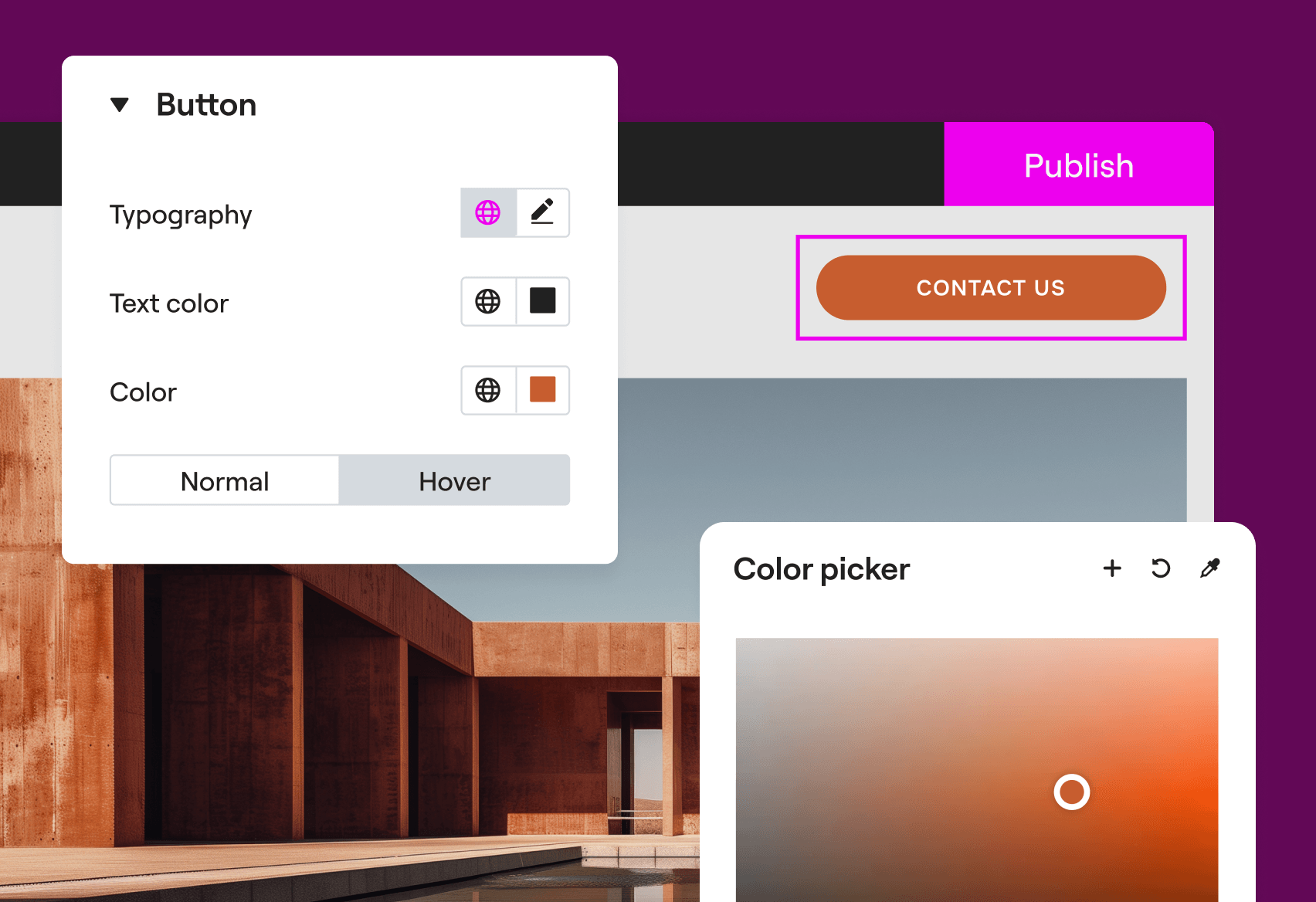
Elementor has a free version that lets you become familiar with the editor and build pages visually. It may be more than enough for a simple website. The Pro version starts to make sense when you want to go further and control parts of the website that would normally depend on the theme.
For example, Elementor Pro lets you design the header and footer, create forms, display pop-up messages and prepare layouts that update using information from WordPress. In simple terms, it brings together more tools so you can build a larger part of the website from the same place.
Choosing between Elementor Free and Pro is not about deciding which one is better, but which one your project actually needs. If you only want to publish a few pages and your theme already handles everything else well, you can begin with the free version. If you want greater control over the complete appearance, need to reuse designs or want to avoid installing several separate tools, Elementor Pro may be more suitable.
How to adapt an Elementor website for mobile
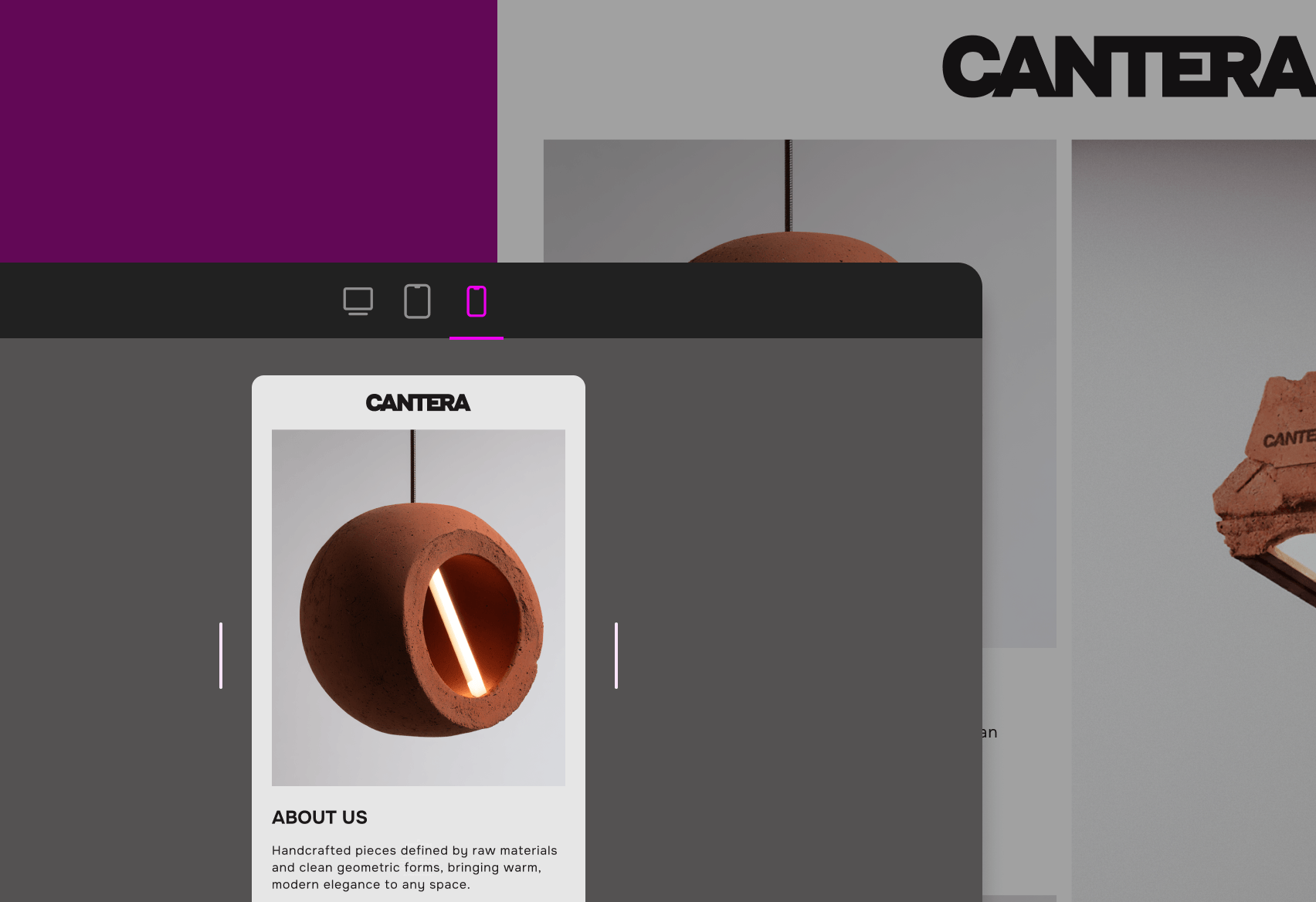
A page can look excellent on a computer and feel uncomfortable on a phone. Headings become too large, images are cropped, buttons are too small or elements appear in an order that no longer makes sense. Elementor lets you check how the design behaves on desktop, tablet and mobile.
It also lets you make adjustments for each size when the same composition does not work properly on every screen. The adaptation is not automatic: you still need to inspect the result and decide what should change. Having these responsive design controls inside Elementor makes adapting a website for mobile much more manageable.
Is Elementor Pro worth it and who may benefit?
Elementor Pro may suit you if you use WordPress and want to control the design without continually depending on someone to code every change. It may also be useful if you prefer working visually, want a distinctive appearance or need to update content frequently.
It is not essential for every website. If you need a very simple page, a good theme and the editor included with WordPress may handle the project perfectly well. It may not be the best option if you need a custom application or if your team already has a workflow that is more efficient for them.
Advantages and limitations worth knowing
Elementor Pro offers considerable freedom and is pleasant to use. It lets you work independently, reuse previous work and adjust a page without constantly moving between code, themes and different control panels. However, it does not automatically turn every page into a clear, fast or easy-to-use website.
You should also optimise image sizes, keep WordPress and its tools updated, maintain backups and review the website on real devices. Being able to change something visually does not guarantee that it will be easy to use: text must remain readable, buttons should be understandable and the page needs sufficient contrast.
Elementor Pro makes the building process considerably easier. The final quality still depends on your decisions. That is not a weakness unique to Elementor; it is the natural result of having freedom. The more you can do, the more important it becomes to know what is worth doing.
Elementor Editor 4 and its wider range of solutions
Elementor is continuing to develop a new evolution of its editor called Elementor Editor 4. It is based on an approach to organising design known as Atomic. Although the name may sound technical, the idea is simple: define a decision once and reuse it in different parts of the website.
Elementor says that the previous editor and this new evolution can coexist. It should therefore not be understood as an obligation to rebuild existing pages immediately. Each project can decide when adopting the new workflow makes sense and check which options are available at that time.
The brand offers other solutions alongside Elementor Pro. Elementor Host combines the editor with the hosting needed to publish a website. Elementor One brings together different tools related to creation, optimisation and management. Both may simplify the process for certain people, but I mention them as documentary context rather than an assessment based on my personal use.
My experience and this Elementor Pro review focus on the visual editor: an intuitive, flexible and comfortable option for turning ideas into pages without giving up control of the result.
Frequently asked questions about Elementor Pro
What is Elementor and what is it used for?
Elementor is a visual editor for WordPress. It is used to build and modify pages while seeing the result as you work, using visual blocks and controls. It does not design the website for you, but it makes turning a structure and visual identity into real pages easier.
Does Elementor work with WordPress?
Yes. Elementor is installed as a WordPress plugin and uses WordPress content as its foundation. Elementor Pro extends the free plugin, so both need to remain installed and updated for the advanced features to continue working correctly.
What is the difference between Elementor Free and Elementor Pro?
Elementor Free lets you build pages visually and become familiar with the editor. Elementor Pro adds more elements and tools for designing headers, footers, forms, templates and dynamic content. The right version depends on how much of the website you want to control from the same editor.
Is Elementor Pro worth it?
Elementor Pro may be worth it if you want broad control over the design, need forms or want to reuse layouts without continually relying on separate tools. For a very simple website, the free version and a good theme may be enough.
Is Elementor easy to use?
In my experience, Elementor is easy to learn because each adjustment has a visible result. Building a good website still requires you to organise the content, maintain a consistent identity and review accessibility, performance and behaviour across different devices.
Can an Elementor website be adapted for mobile?
Yes. Elementor includes controls for reviewing and adjusting designs on desktop, tablet and mobile. The adaptation should not be treated as automatic: check sizing, order, spacing, buttons and images at every breakpoint and, whenever possible, on real devices.
Access the service
Design a website that truly feels like your own
This page contains an Elementor affiliate link. If you purchase a service through it, Proyecto Predilecto may receive a commission.
Elementor Pro can help you turn an idea into a page you can see, test and improve. If you are looking for an intuitive and flexible WordPress visual editor that gives you room to be creative without developing every element from scratch, explore its capabilities and check which option fits your project.
Explore Elementor Pro and its solutions